
For people who do visuals for a living.
VoidQ Pro is simple VJ software that listens to the music for you. It can run a whole show by itself, or plug into the software you already use.

VoidQ Pro is simple VJ software that listens to the music for you. It can run a whole show by itself, or plug into the software you already use.
Keep your setup and add VoidQ to it. There are two ways to connect it to other video software on your Mac. Use one, or both.
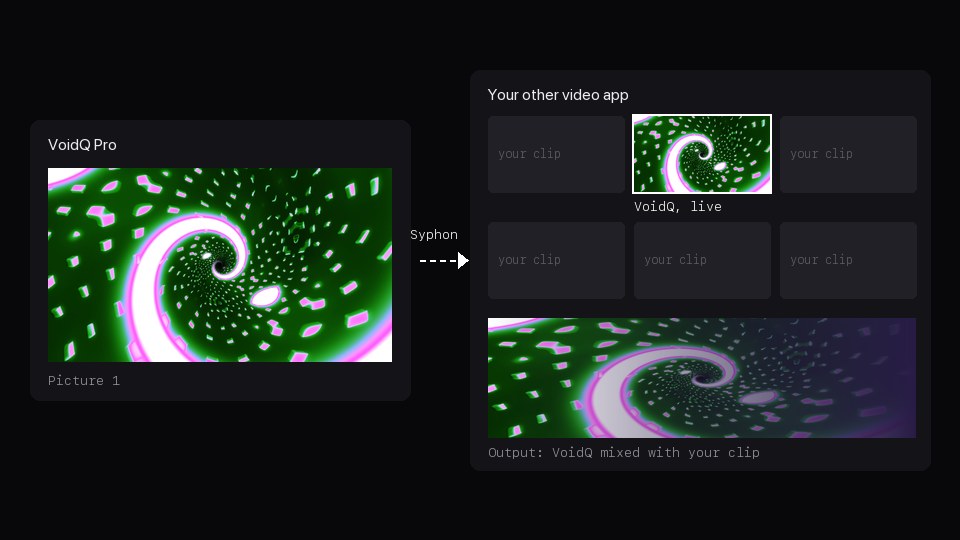
We connected VoidQ Pro to Resolume Arena on one Mac and played songs through it.
OUR TEST · 13 NOV 2026 · RESOLUME ARENA 7.29 · MACBOOK PRO (M1 PRO)
New clips when the song changed part
Same tempo as the song
Resolume is a trademark of its owner, who has not made or approved VoidQ.
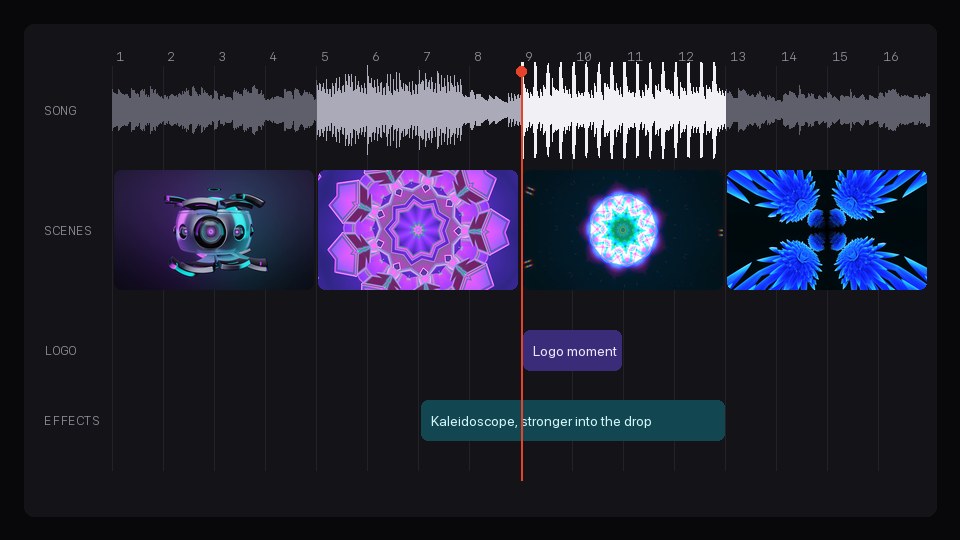
Put your songs, scenes, effects and logo moments in order on the Timeline. Press play and VoidQ runs the show, in time with the music.
The keyboard is enough to run a show. If you prefer buttons and knobs, connect your gear.

Your logo and your name on top of the scenes, or in on the beat when you press a key. Each screen can show a different logo, for example the venue on one and the DJ on the other.
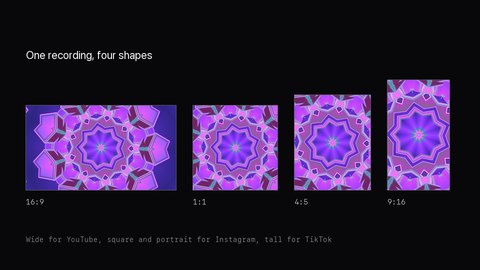
Record the show in up to four shapes at once, from wide to tall. Instant replay keeps the last 30 seconds, so you can save a great moment after it happened. Pro records in 4K.
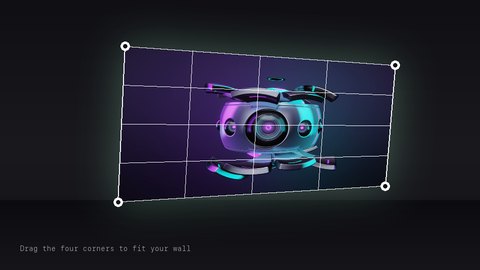
Mapping bends the picture to fit a wall, a table or a projector set at an angle. AirPlay sends it to a TV with no cable.
If a screen stops working, VoidQ keeps the last picture on it and fixes the problem by itself. If the app itself crashes, it opens again with the same show on the same screens.
OUR TEST · 12 NOV 2026 · VOIDQ 0.1 · MACBOOK PRO (M1 PRO)
100 times we broke it on purpose
100 times it recovered by itself
0.0 s of black screen
Try all of it free for 14 days. One licence works on 2 Macs at the same time, and it keeps working without the internet for up to 30 days.
Compare Pro with Free and PassPrices for in
Prices are in US dollars.
Founder price
VoidQ comes out soon. The first 150 people to buy Pro pay $149 instead of $199, and for the first four weeks Pass is $59.99 a year instead of $79.99. Join the list and you'll hear before anyone else.
Prices are approximate. We charge in US dollars.
VoidQ isn't out yet. Join the list and you'll hear first. The first 150 people to buy Pro pay $149 instead of $199.
Coming to Mac first, then Windows. iPad, iPhone and Android later.
Made by Virtual Void, a projection studio in Toronto.